> For the complete documentation index, see [llms.txt](https://server-side.docs.sirdata.net/sirdata-server-side/llms.txt). Markdown versions of documentation pages are available by appending `.md` to page URLs; this page is available as [Markdown](https://server-side.docs.sirdata.net/sirdata-server-side/english-1/installation/facebook-conversions-api-setup.md).
# Facebook Conversions API Setup
After completing the GA4 setup, you are ready to reuse the GA4 client to send your first data to the Facebook Conversions API from your server container
{% hint style="warning" %}
**Warning!** Sirdata offers a complete service for the setup and configuration of your Google Analytics 4 (GA4) and Google Tag Manager (GTM) clients, as well as your GA4 and Facebook Conversions API (CAPI) tags.
If you are not fully familiar with server-side tracking and its configuration, do not hesitate to [contact us.](https://www.sirdata.com/en/Contact)
{% endhint %}
## 1) **Creation of the Facebook CAPI tag**
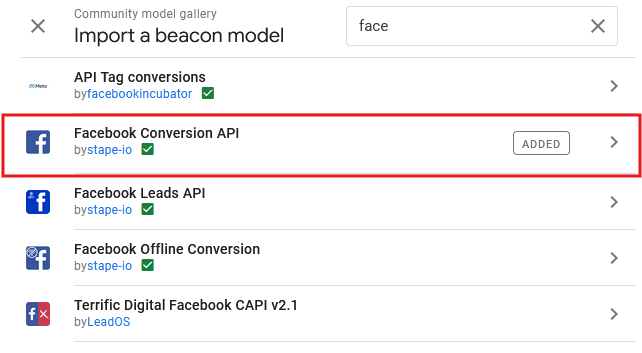
Add the "Facebook Conversion API" tag :
"Facebook Conversion API" tag
## b) Configuration of the "Facebook CAPI" tag
Configure your tag by adding your Token and Pixel ID
Configuration of the "Facebook CAPI" tag
## 3) **Trigger "ClientNameGA4"**
Use the trigger you created for your[ GA4 tag](/sirdata-server-side/english-1/installation/configuration-ga4.md)